Pendaftaran Siswa Baru SMA POMOSDA Tahu Ajaran 2011-1012

a. Syarat Pendaftaran :
1.       Mempunyai minat yang kuat untuk melanjutkan pendidikan di SMA POMOSDA
2.       Telah dinyatakan lulus sekolah di tingkat SMP/MTS atau yang sederajat, dengan ditunjukkan Surat Keterangan Lulus
3.       Maksimal berusia 17 tahun pada tanggal 1 Juli 2011
4.       Sehat jasmani dan rohani dibuktikan dengan surat keterangan sehat dari Dokter dan balai kesehatan POMOSDA
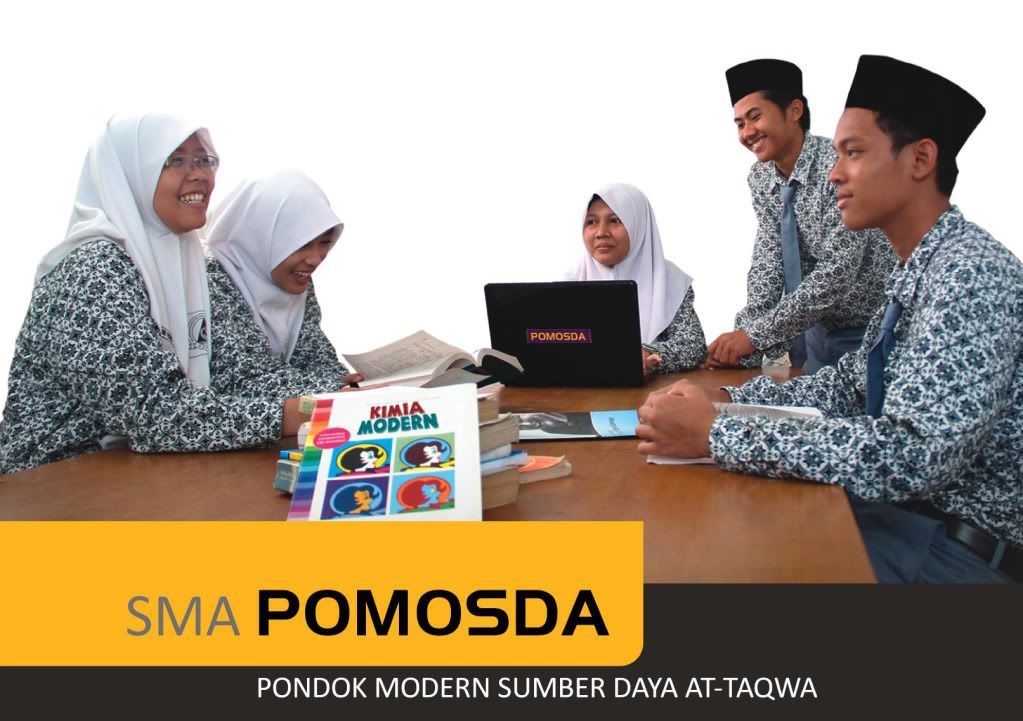
Penerimaan Santri Baru SMA POMOSDA
SMA POMOSDA
b. Cara Pendaftaran
i.       Calon Siswa/santri dan atau orang tua datang langsung ke sekretariat PSB SMA POMOSDA atau melalui perwakilan-perwakilan yang ditunjuk.

ii        Membayar uang pendaftaran untuk mendapatkan formulir pendaftaran.
iii.      Mengisi dan menyerahkan kembali formulir pendaftaran yang dilampiri dengn kelengkapan persyaratan administrasi berupa :


a. Fotocopi ijazah SMP/MTs atau sederajat yang telah dilegalisir sebanyak 3 lembar beserta ijazah asli
b. Fotocopi SKHUN yang dilegalisir sebanyak 2 lembar.
c. Fotocopi Nomor Induk Siswa Nasional (NISN) sebanyak 2 lembar
d. Fotocopi raport SMP/MTS semester 4,5 dan 6 sebanyak 1 lembar
e. Foto terbaru hitam putih 3x4 sebanyak 4 lembar
f. Surat keterangan Berkelakuan Baik dari sekolah asal.
g. Surat Keterangan Sehat dari Dokter atau Rumah Sakit

Waktu & Tempat  Pendaftaran :
Waktu pendaftaran Mulai Tanggal  01 juni - 08 juli 2011 (Gelombang I) 11 Juli - 21 Juli (Gelombang II)
Tempat di kampus SMA POMOSDA
Jl. Kh wachid hasym 312 Tanjunganom, Nganjuk Jawa Timur 64483 Telp (0358) 771589 fax: (0358) 773351

Pelaksanaan, Materi & Pengumuman Tes Seleksi
1.       Seleksi berkas tanggal 05 Juli 2011 (Gelombang I), 21 Juli 2011 (Gelombang II)
2.       Tes dan Wawancara 9-10 Juli (Gelombang I), 22-23 Juli (Gelombang II)
3.       Pengumuman testing 10 Juli 2011 (Gelombang I), 23 Juli (Gelombang II)
4.       OTRIBA 11 - 13 Juli 2011

Rincian  Biaya Pendaftaran
1.       Pendaftaran: Rp. 100.000,-
2.       Seragam dan Sarpras santri Baru : Rp 960.000,
Seragam sekolah, peralatan tidur, makan, almari dan kelengkapan belajar
(Dapat dibayarkan selama 1 (satu) tahun)
3.       SPP/Jariyah  Perbulan : Rp. 350.000,-
Biaya makan  3 x sehari, air dan listrik, dana kesehatan dan simpanan siswa
4.       Dana Pengembangan Pendidikan: Rp. 1.000.000,- (Gelombang I), Rp. 1.500.000,- (Gelombang II)
(Dapat diangsur selama 6 bulan/ 1 semester)
 Total Rp. 2.510.000,- (Gelombang I) Rp. 3.010.000,- (Gelombang II)


Read More..

How To Install Gnome 3 Desktop In Ubuntu Linux? "via PPA"

Gnome 3 is now finally available. However it will take some time before major Linux distributions start integrating Gnome 3 Desktop into their systems. Mean while, you can try Gnome 3using a Live CD for your favourite Linux distribution. In case you are looking to install Gnome 3 Desktop on your Ubuntu 11.04 system in order to get a better feel, then here is a tutorial for you.

Gnome 3 looks so awesome!
ATTENTION: We would like to say before hand that installing Gnome 3 on your system may break it and renderGnome 3 repository is highly unstable even now. So in case you are planning to install Gnome 3 on your production system, we would recommend you to hold on till your distribution comes out with a supported version of Gnome 3. many things un-usable as the


 Installing Gnome 3 Desktop in Ubuntu 11.04 Natty Narwhal
Step 1: Install the Gnome 3 team's Ubuntu PPA (repository) using this command:
sudo apt-add-repository ppa:gnome3-team/gnome3
Step 2: Now update your software sources:
sudo apt-get update
Step 3: Install the Gnome 3 Desktop environment using this command:
sudo apt-get install gnome-desktop3
If the above does not work for you, then you can try the following, as suggestedmentioned user has talked about) by Aechols in the comments. (Please not we have not tested these steps, which the above
sudo apt-get dist-upgrade
sudo apt-get install gnome-shell
sudo apt-get install gnome3-session
 Installing Gnome 3 Desktop in Ubuntu 10.10 Maverick Meerkat
Gnome 3 Desktop can be installed in Ubuntu 10.10 Maverick using the following commands. Please note that this PPA (For Ubuntu 10.10) is old and hasn't been updated unlike Natty and there is NO WAY TO ROLL BACK!
sudo add-apt-repository ppa:ubuntu-desktop/gnome3-builds 
sudo apt-get update
sudo apt-get install gnome-desktop3
Reboot your computer after the installation is over so that the new components and the environment can sink in properly. In case you are facing a problem or want to report a bug, you can do it here.

Read More..

Install Clementine Music Player In Windows & Apple Mac OS

Clementine is a rip-off from the famous KDE based linux music player and manager Amarok. Well, the good part about Clementine is that it is cross platform which means you can use it on Linux, Windows & Macintosh OS.
The latest version of Clementine has some amazing features such as a built-in lyrics downloader and manager, artist info finder, Last.fm & Magnatune integration and a lot more. As of writing this post, Clementine was in the version 0.7. Here are the download links for the Clementine music player on Windows and Apple Mac OS.

You can also check the Clementine downloads page for an updated version of the music player in case an updated version is available.


Read more about the Clementine Music Player. Here are a few screenshots of the Clementine music player at action on Windows and Mac OS.

Clementine running on Windows 7

Clementine running on Apple Mac OS
Read More..

How To Create A Gnome 3 Live USB Stick "Fedora, OpenSUSE, Ubuntu"

 Gnome 3 Desktop environment has now been released and will soon find it's way to most of the Linux Distributions out there - like Fedora, OpenSUSE & Ubuntu. We have already told you how to install Gnome 3 on Ubuntu or try it as a Live environment on Fedora or OpenSUSE. In this article we will tell you how to create a Live USB Stick for Gnome 3.

Applets and Dockbar in Gnome 3

Step 1: Download the Gnome 3 Live ISO of your choice from this page.
Step 2: Now, download the tarball package of the USB Image Writer and extract it's contents to a folder.

Step 3: Open a terminal and navigate to the folder where you have extracted the contents of the image writer package (eg. $ cd Downloads/abock-image-usb-stick-f3b1002)
Step 4: Prepare the image writer by running this command in a terminal:
$ chmod a+x ./image-usb-stick
Step 5: Remove any USB storage devices that you might have connected to your computer and insert the empty USB stick that you want to write to.
Step 6: Run the image writer script from a terminal:
sudo ./image-usb-stick path_to_the_live_image.iso
Step 7: To run the live image, reboot your computer with the USB stick attached.
Read More..

Wireless cell phone video surveillance solution is here adding a sense of private protection and safety it offers you real-time video monitoring.

Wireless mobile phone video surveillance solution This technology utilizes the most powerful software applications for distantly monitoring from Everywhere in the world.
This is a solution that will turn any regular cell phone into a high end security device.
The surveillance system brings video from video source such as USB or IP Webcam to your mobile phone. It contains both the client and server application.

You can connect to your residence, business, babysitter, parents, pets, etc.

You can watch online shots from your webcams on mobile phone through any kind of ip connection from any location in the world. In case of intrusion, a real scene helps prevent false alarm and cancel police dispatches to avoid the fines.
Enjoy the liberty of viewing all your webcams on cell phone anytime and from anyplace with just the touch of a button.

How does cellular security work:

You connect your webcam (USB, IP camera, or Camcoder) to your home pc and setup the software.
The application records video and audio from webcam and sends it, as compressed media stream, to web server.
You login to this Web server from your mobile phone and see your camera.
No special application for your mobile phone is necessary.

All about cellular video security.

Get cash from your website. Sign up as affiliate.

Bisnis your Web

affiliate program

EARN INCOME FROM YOUR WEBPAGE

Turn your valuable webpage visitors into money. Work online and join our free money making partner program. We offer the most payment rate to help increase your cash stream.

Join our money making program absolutely no charge and 100% risk free.

Sign Up...

FREE INVESTMENT PROGRAM

We designed this money earn system specially for NO SETUP FEE methods, to make hundreds, if not millions of dollars, without spending something.

Start receiving serious affiliate commissions

Our money earn system really can give you money on the same day. Begin collecting steady partner commissions with almost no investments at all. This is a profitable business opportunity, the chance for you to create a solid, reliable, long-term profitable business.

Get paid after you not working

Create many new revenue incomes each and every day. Get paid after you stop working or even retire at an young age with a broad cash stream. Do this one time and get revenue over and over again. It's best time to create mind-blowing new levels of profit and success on the Internet.

Cell Phone Advertising System cell phone advertising,bruce shilander,shilander marketing